
m222 | Pakistan Casino, Slots and Sportsbook — Play on the Mobile App
Slots, live casino tables, crash games and cricket-led sports betting — all sitting inside one account you open from your phone in seconds.

Pakistan payment context
JazzCash, Easypaisa, Raast JazzCash, Easypaisa, Raast and bank-transfer context is covered where access is allowed.
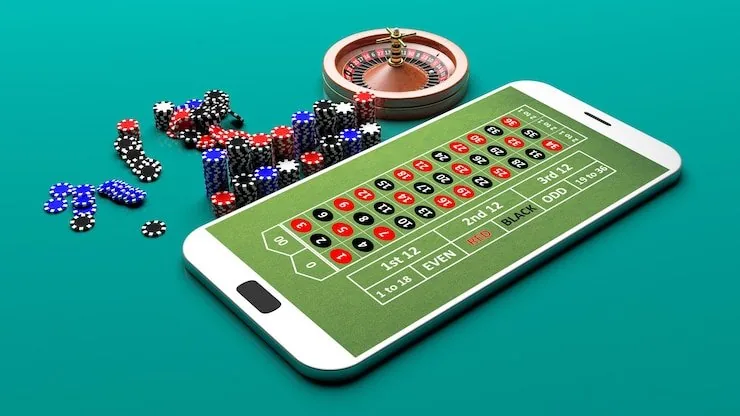
Built for phones, clear on desktop
Cards, tables, FAQ and policy pages stay easy to read on smaller screens.
m222 · Pakistan
Service availability depends on eligible regions and local law. Users should check local rules before opening an account.
Slots, live tables and more inside m222

Football BetMarket

Roulette Nightfire

Bank Transfer ClearPay
Blackjack Double Down Pakistan
Teen Patti RoyalSpin
Football BlitzBet
Offers for new accounts
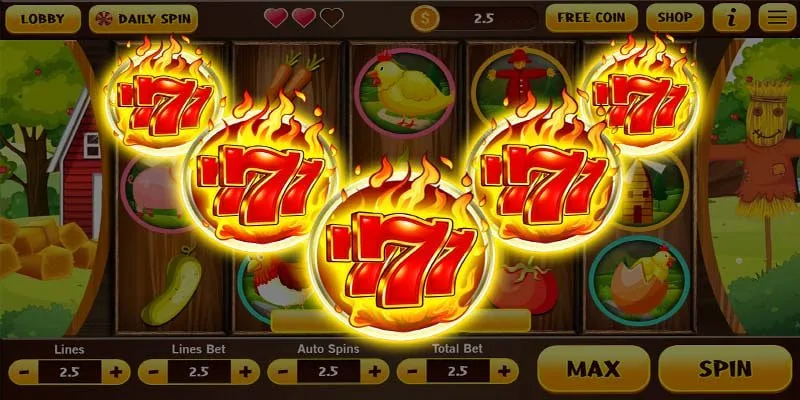
Open your account, make your first deposit via JazzCash, Easypaisa or Raast, and see what welcome offer is active for your account. Terms apply.
Open Your Account
Place your first sports bet after opening an account and check the promo board for the current new-member sportsbook offer. Terms apply.
Open Your AccountWhat to check first when you arrive
New to m222? Here is the short path in. Open your account using your mobile number — the process takes under a minute and there is no desktop required. Once you are in, your wallet is right there in the account area and your game lobby loads immediately. If anything feels unclear, our support line is one tap away from the account menu.
m222 on the device in your pocket
The m222 experience is built around the phone first — not as an afterthought, but as the primary way most players in Pakistan reach the lobby. Your account, balance and game history are identical whether you are on mobile browser, the m222 app, or a desktop screen. Start a slot session on your phone during the commute, come back to the live tables on a larger screen later — the session state carries across. Players in Lahore and Karachi reach the lobby in seconds over a standard mobile data connection, with no separate login needed when switching devices on the same account.
How to get started on m222
Register
Enter your mobile number, set a password, and verify via the OTP sent to your phone.
Deposit
Open your JazzCash, Easypaisa or Raast app, send funds to the account number shown, and confirm with your PIN.
Choose a Game
Browse the Slots, Casino or Sportsbook tab and tap any title to open it — search by name if you have one in mind.
Play
Your balance is live in the wallet — place your bets or spin directly from the game screen.
Your account works on every screen
Whether you are on your phone, a tablet or a desktop browser, your m222 account — balance, game history, wallet — stays in sync across every device without a separate login.


Payment methods at m222
Every payment option at m222 is one Pakistan players already use every day. Open your JazzCash or Easypaisa app, send to the account number shown in the deposit screen, confirm with your PIN, and the amount lands in your wallet balance. Raast transfers follow the same flow through your bank's app. Bank Transfer and Debit Card are also available for those who prefer them. Withdrawals are processed back to the original payment method after standard account verification, keeping the money moving through channels you already know.
Everything m222 has in one place
From fan-favourite slots and live dealer tables to a sportsbook built around cricket, the m222 lobby puts it all within a tap.
Support channels at m222
Three contact routes cover different needs and response speeds. Live chat is the fastest path for active session issues. Email suits detailed account queries where you want a written record. The mobile help line is available for wallet and payment questions specific to JazzCash, Easypaisa, and Raast transactions.
What's running this week


How your account and data stay protected
Security at m222 works in layers, each one covering a different part of your account. From the moment you connect to the lobby to the moment a withdrawal reaches your wallet, the platform applies distinct protections at each step. Here is what each layer does and how it applies to your account specifically.
Encrypted Connection
SSL encryption covers every session between your device and our servers. Your login credentials, payment details and session data travel through an encrypted channel — the connection is not readable in plain text at any point along the route.
OTP Login Verification
Each login from a new device triggers a one-time password sent to your registered mobile number. You confirm the OTP before the session opens, which means access to your account requires both your password and your physical phone.
Transaction Receipts
Every deposit and withdrawal generates a transaction record visible in your account history. The record shows the amount, method, timestamp and status — so you can cross-check it against your JazzCash, Easypaisa or Raast app at any time.
Data Handling
Personal details and payment information are stored under access controls that restrict which internal systems can read them. We do not share payment data with third parties outside of what is required to process your chosen transaction method.
Frequently asked questions about m222
How to navigate the m222 lobby
The lobby is organised into clear sections along the top navigation bar: Casino, Slots, Sportsbook and Live Casino each have their own tab. Tap Casino to reach table games including Blackjack Double Down Pakistan and Teen Patti RoyalSpin. The Slots tab opens the full catalogue sorted by studio and popularity — use the filter row to narrow by provider like Pragmatic Play or PG Soft, or search by name. The Sportsbook tab carries cricket markets including PSL and international fixtures as the featured category. Switching between sections does not reset your session or affect your balance.
Finding a Specific Game
Use the search bar at the top of the Slots or Casino tab. Type the game name — for example, Gates of Olympus or Crash SparkBurst — and the result appears immediately. No need to scroll through the full catalogue.
Switching Between Casino and Sportsbook
Tap the Sportsbook tab from any casino page and your account balance carries over. The active section highlights in the nav bar so you always know where you are. Switching back to Casino picks up exactly where you left off.
Reaching the Live Casino Tables
The Live Casino tab shows tables currently running with real dealers. Each table card shows the game type, the studio streaming it, and current bet range. Tap any table to join or watch before sitting down.
Account Area and Wallet
Tap the profile icon to reach your wallet balance, deposit history, withdrawal requests and account settings. Transaction records go back to your first deposit and each entry shows the payment method, amount and status.
Platform at a glance
| Game providers | Pragmatic Play, Evolution, PG Soft, CQ9 |
|---|---|
| Game categories | Live Casino, Slots, Sportsbook |
| Sports betting | Included |
| Accepted currency | PKR |
| Payment methods | JazzCash, Easypaisa, Raast, Bank Transfer, Debit Card |
| Customer support | Live chat and email |